What is Gemini Omni?
Gemini Omni is Google's advanced multimodal AI model capable of understanding, generating, and editing video using natural language instructions.
Unlike traditional video editing tools that require manual editing decisions, Gemini Omni can analyze video content, understand context, and apply intelligent editing based on your instructions.
What Makes It Powerful?
- Generates subtitles automatically
- Adds transitions and motion effects
- Applies contextual sound design
- Understands video content and meaning
- Works directly with uploaded footage
- Adapts editing decisions based on context
- Can mimic reference styles while preserving content
The 3-Step Workflow
This is the complete workflow for transforming raw footage into professional social media content using Gemini Omni.
Step 1 — Create Your Prompt
Before uploading footage, define what outcome you want.
Think like a creative director, not a software user.
Your prompt should describe:
- The topic
- Target audience
- Tone
- Editing style
- Caption behavior
- Visual enhancements
- Sound design
- Desired outcome
Pro TipThe quality of the output is heavily dependent on the quality of the prompt.
Don't tell Gemini what tools to use.
Tell Gemini what result you want to achieve.
Step 2 — Upload Your Video
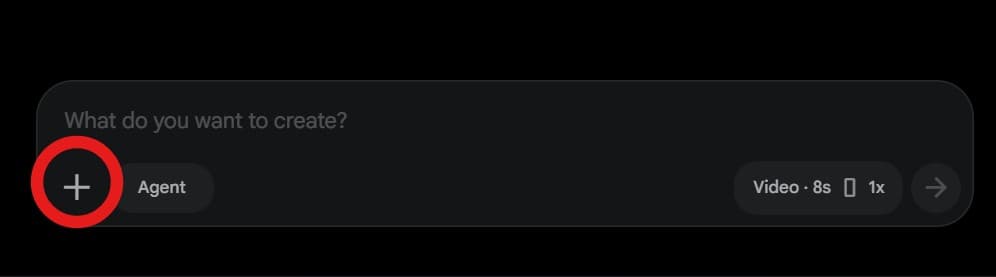
Upload your raw footage directly into Gemini.
Gemini will analyze:
- Spoken content
- Visual context
- Facial expressions
- Timing
- Energy level
- Story structure
before making editing decisions
Supported Formats
- MP4 (Recommended)
- MOV
- AVI
- WebM
NoteFile limits depend on your Gemini plan.
For long videos, compress footage before uploading.
Step 3 — Add References (Optional)
If you like a particular editing style, provide a reference video.
Gemini can borrow:
- Pacing
- Typography style
- Transition style
- Motion design approach
- Overall aesthetic
without copying the actual content.
Good References
- YouTube Shorts
- Instagram Reels
- Competitor videos
- Brand campaigns
- Creator content
What Gemini Can Add To Your Video
Smart Subtitles
Gemini can generate subtitles directly from spoken audio.
You can specify:
- Font style
- Position
- Size
- Animation behavior
- Visual hierarchy
Motion Graphics
Gemini can generate:
- Animated text
- UI demonstrations
- Icons
- Callouts
- Motion elements
- Data visualizations
to support the content.
Transitions
Gemini can intelligently apply:
- Cuts
- Zoom transitions
- Motion transitions
- Reframes
- Camera moves
- Scene transitions
based on pacing requirements.
Sound Design
Gemini can add:
- Whooshes
- Clicks
- Impacts
- Risers
- Interface sounds
- Cinematic accents
to improve engagement.
Supporting Visuals
Gemini can add:
- B-roll
- Graphics
- Infographics
- Screenshots
- Product demonstrations
- Visual metaphors
when they strengthen understanding.
The New Content-Aware Editing Framework
Most AI editing prompts fail because they force the same style onto every video.
A business video, motivational story, educational lesson, and product demo should not be edited the same way.
Before editing, Gemini should analyze:
- Topic: What is being discussed?
- Audience: Who is the content intended for?
- Tone: Educational, entertaining, serious, emotional, inspirational, etc.
- Energy Level: High energy or low energy?
- Key Message: What should viewers remember?
- Important Claims: What information requires emphasis?
- Story Structure: How does the information flow?
Only after this analysis should editing decisions be made.
UNIVERSAL GEMINI OMNI PROMPT
"Transform the uploaded talking-head video into a highly engaging, professional short-form social media reel.
Preserve the original speaker, facial expressions, body language, hand gestures, clothing, colors, skin tone, audio, lip sync, timing, and overall performance exactly as recorded. Do not alter, regenerate, recolor, replace, or modify the subject in any way.
Use the original footage as the foundation and add editing layers only.

CONTENT-AWARE EDITING
Before editing, analyze:
* Topic
* Tone
* Emotion
* Energy level
* Audience
* Key message
* Important claims
* Story structure
Adapt all editing decisions to the content instead of applying a fixed visual style.

SUBTITLES
Generate accurate word-for-word subtitles directly from the spoken audio.
If the speaker uses Hinglish, preserve the exact spoken wording using English characters only.
Never:
* Translate
* Paraphrase
* Rewrite
* Correct grammar

TYPOGRAPHY
Use captions as a primary storytelling element.
Dynamically determine:
* Font style
* Text size
* Layout
* Animation style
* Visual hierarchy
based on the content and emotional intensity of each moment.
Allow important words and phrases to become visual focal points through scale, motion, emphasis, depth, layering, masking, and motion tracking when appropriate.

VISUAL ENHANCEMENT
Identify opportunities to enhance understanding and engagement through:
* B-roll
* Graphics
* Motion design
* UI demonstrations
* Icons
* Visual metaphors
* Callouts
* Infographics
* Contextual overlays
Only add visuals that directly support the spoken content.
Avoid decorative elements that do not improve clarity, storytelling, or retention.

CAMERA & PACING
Use zooms, punch-ins, reframing, motion effects, transitions, and pacing adjustments strategically.
Increase visual intensity during key moments and reduce it during explanatory, educational, reflective, or emotional moments.
Avoid unnecessary movement, repetitive zoom effects, or visual clutter.
Maintain the original timing and flow of the speaker while improving viewer retention through intelligent visual pacing.

COLOR & DESIGN
Extract colors from the footage and build a cohesive visual system around the existing scene.
Allow typography, graphics, and motion design to adapt naturally to the content and visual environment.
Improve contrast, exposure, clarity, depth, and overall visual polish while preserving the subject's authentic appearance and original clothing colors.

SOUND DESIGN
Preserve the original voice recording.
Enhance the experience using subtle:
* Whooshes
* Impacts
* Clicks
* Risers
* Swipes
* Interface sounds
* Cinematic accents
Apply sound effects only when they reinforce visual storytelling.
Do not overwhelm the original audio with excessive sound design.

RETENTION OPTIMIZATION
Identify:
* Hooks
* Pattern interrupts
* Curiosity moments
* Key takeaways
* Emotional peaks
* Surprise moments
* Important statistics or claims
Use editing, typography, graphics, pacing, and visual emphasis to strengthen these moments.

FINAL OBJECTIVE
Create a professional, high-retention social media reel where subtitles, motion graphics, visual storytelling, sound design, pacing, and supporting visuals are intelligently generated from the meaning, emotion, and context of the spoken content while preserving the original performance exactly as recorded.
The final result should feel like it was edited by a top-tier content agency, with every creative decision driven by the content itself rather than a fixed editing template.